
Appearance
Dashboard
The dashboard is your starting point after sign-in.
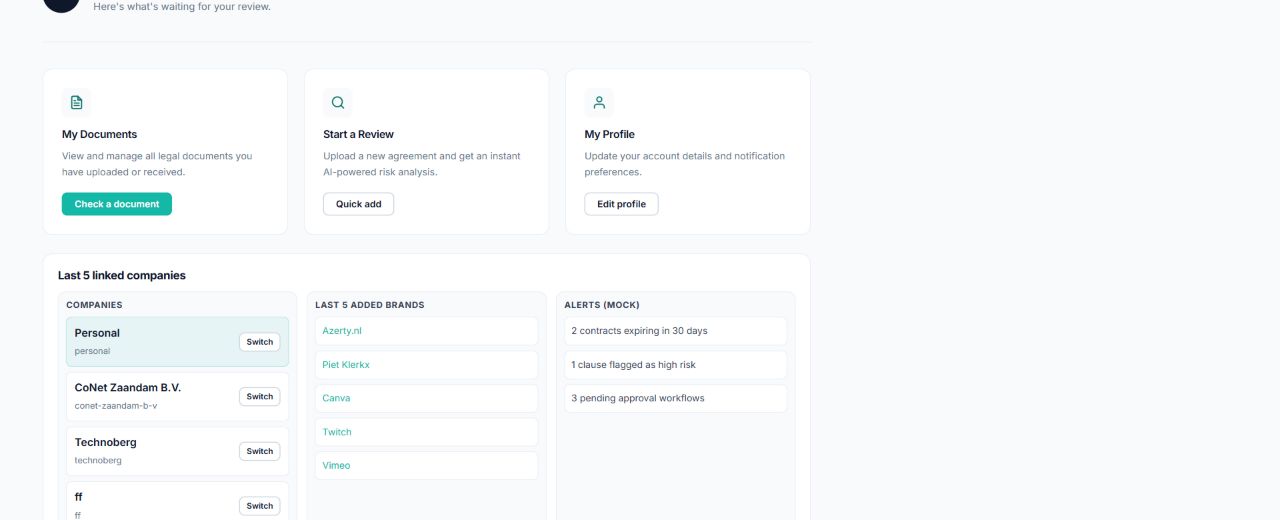
Start a document check
Select Check a document or Quick add to open the quick document workflow. See Quick document check.
Open your profile
Select View profile to see your identity, roles, current subscription, trial status, default payment method, and subscription history.
Work with linked companies
The linked companies section shows company workspaces available to your account.
- Select a company name to view its details.
- Select Switch to make a different company active.
- Select All companies to open the complete company list.
The active company controls the company context shown in the user menu and used by company-aware actions.
Open recently linked content
Brand links shown on the dashboard open the corresponding brand detail page. From there you can open its products and brand-level legal documents.