
Appearance
Products and services
A product or service belongs to a brand. Use it when a legal document applies to one offering rather than to the whole brand.
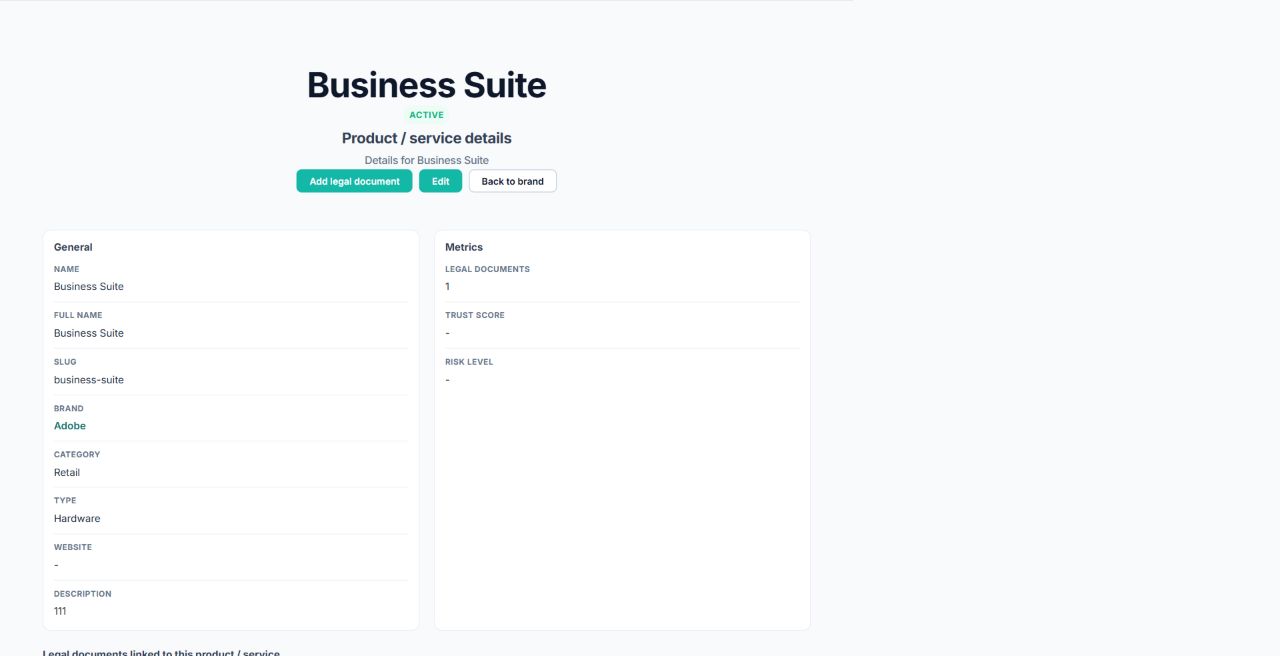
Add a product or service
- Open the parent brand.
- Select Add product.
- Enter the display name and, optionally, a full name.
- Confirm the parent brand.
- Select a category and product type.
- Enter a unique slug.
- Optionally add the official website and a description.
- Leave Active enabled if it should be available for normal use.
- Save.
Website addresses must use a valid web URL.
Open and edit a product
Select a product from its brand page. The product page shows its details and associated legal documents.
Select Edit to update it. Changing the slug changes the friendly URL for the product and for documents nested below it.
Add a product-level document
On the product page, select Add legal document. ClauseWatcher keeps the brand and product context and returns you to the product after saving.
Use a product-level document for terms, policies, or agreements that apply only to this service. Use a brand-level document when it applies across the brand.